
ALLIANZSTADIUM APP
Through the App, you can access the stadium managing your tickets directly from your smartphone
Discover all the information you need to easily view and manage your tickets.





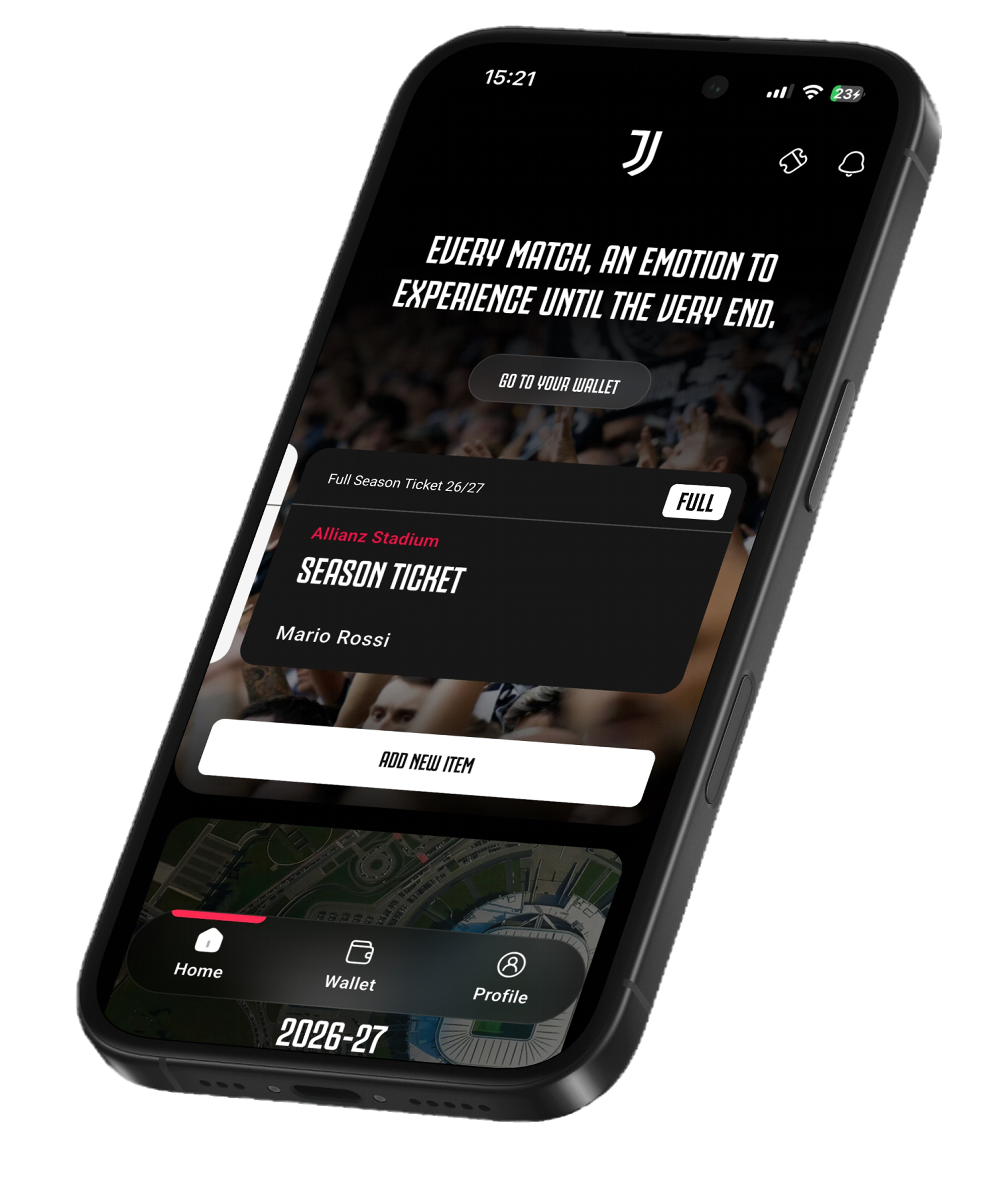
I HAVE A SEASON TICKET
FROM THE 2026/27 SEASON, YOUR SEASON TICKET MUST BE LOADED ON THE ALLIANZ STADIUM APP IN ORDER TO ACCESS THE STADIUM
BEFORE YOU STARTDOWNLOAD THE APP
Install for free the Allianz Stadium App from the App Store or Google Play


SIMPLE, FAST AND INTUITIVE
HOW CAN I LOAD MY SEASON TICKET INTO THE APP?
Sign In
Log in using your MyJuve credentials (registration on Juventus.com).
LOAD YOUR SEASON TICKET
Add your season ticket by entering the PNR NUMBER received in your order confirmation email and your DATE OF BIRTH.
SAVE TO WALLET
Add your season ticket to the app wallet so you can manage it and access the stadium (up to a maximum of 4 season tickets with the same access gate can be stored under a single profile).


1of6
SIMPLE, FAST AND INTUITIVE
HOW CAN I LOAD MY SEASON TICKET INTO THE APP?
1of3
NON È ANCORA CHIARO?
1DI6
- 01Accedi al Wallet nell'app
- 02Clicca sul QR code
- 03Mostra il codice allo stadio
HOW CAN I MANAGE MY SEASON TICKET?


1of3

ACCESS THESTADIUM
To enter the stadium, simply open your season ticket in the app and show the QR code at the entrance turnstiles. The QR code will be available 6 hours before kick-off

Season ticket holders must load their season ticket into the app
HOW TO:
Open the app wallet
Click on the QR code
Show it at the entrance gates


1of3

MANAGEYOUR RESERVES
Can't attend a match? Through the app, you can transfer your ticket to a reserve of your choice, provided they hold a Juventus Card, Juventus Membership, or are a JOFC member.
For the 2026/27 season ticket, the actual attendance of the reserve to whom the ticket has been transferred will count towards season ticket usage
HOW TO:
Open the app wallet
Tap "Manage Season Ticket"
Tap "Reservation Management", where you can add and remove reserves.


1of3

NAMECHANGE
Manage ticket holder changes of your ticket directly from the app
HOW TO:
Open the app wallet
Tap "Manage Season Ticket"
Tap "Name change" to transfer your ticket to another user


1of3

RESELLYOUR TICKET
Put your seat up for resale directly through the app and make the most of your season ticket
HOW TO:
Open the app wallet
Tap "Manage Season Ticket"
Tap "Resell Ticket" to list your seat for resale and to receive a credit equal to 51% of the sale price.


1of3

MONITORUSAGE
Track your attendance directly through the app to maintain eligibility for priority access when purchasing a season ticket for the following season
HOW TO:
Open the app wallet
Tap "Manage Season Ticket"
Click on "Match Calendar & Current Use" and check your season ticket usage percentage
ACCESS THESTADIUM
To enter the stadium, simply open your season ticket in the app and show the QR code at the entrance turnstiles. The QR code will be available 6 hours before kick-off
Season ticket holders must load their season ticket into the app
HOW TO:
Open the app wallet
Click on the QR code
Show it at the entrance gates
MANAGEYOUR RESERVES
Can't attend a match? Through the app, you can transfer your ticket to a reserve of your choice, provided they hold a Juventus Card, Juventus Membership, or are a JOFC member.
For the 2026/27 season ticket, the actual attendance of the reserve to whom the ticket has been transferred will count towards season ticket usage
HOW TO:
Open the app wallet
Tap "Manage Season Ticket"
Tap "Reservation Management", where you can add and remove reserves.
NAMECHANGE
Manage ticket holder changes of your ticket directly from the app
HOW TO:
Open the app wallet
Tap "Manage Season Ticket"
Tap "Name change" to transfer your ticket to another user
RESELLYOUR TICKET
Put your seat up for resale directly through the app and make the most of your season ticket
HOW TO:
Open the app wallet
Tap "Manage Season Ticket"
Tap "Resell Ticket" to list your seat for resale and to receive a credit equal to 51% of the sale price.
MONITORUSAGE
Track your attendance directly through the app to maintain eligibility for priority access when purchasing a season ticket for the following season
HOW TO:
Open the app wallet
Tap "Manage Season Ticket"
Click on "Match Calendar & Current Use" and check your season ticket usage percentage
1of5
1DI3
- 01Open the app wallet
- 02Click on the QR code
- 03Show it at the entrance gates
1DI3
- 01Open the app wallet
- 02Tap "Manage Season Ticket"
- 03Tap "Reservation Management", where you can add and remove reserves.
1DI3
- 01Open the app wallet
- 02Tap "Manage Season Ticket"
- 03Tap "Name change" to transfer your ticket to another user
1DI3
- 01Open the app wallet
- 02Tap "Manage Season Ticket"
- 03Tap "Resell Ticket" to list your seat for resale and to receive a credit equal to 51% of the sale price.
1DI3
- 01Open the app wallet
- 02Tap "Manage Season Ticket"
- 03Click on "Match Calendar & Current Use" and check your season ticket usage percentage
I HAVE A SINGLE MATCH TICKET
DISCOVER THE AVAILABLE MATCHESBEFORE YOU STARTDOWNLOAD THE APP
Install for free the Allianz Stadium App from the App Store or Google Play
QUICK AND EASY ACCESS
HOW CAN I LOAD A SINGLE MATCH TICKET INTO THE APP?
SIGN IN
Log in using your MyJuve credentials (registration on Juventus.com)
ADD TICKETS TO YOUR WALLET
Add the tickets you have purchased from your recent purchases. Alternatively, you can upload them individually using the ACCESS ID and DATE OF BIRTH
MANAGE YOUR SINGLE TICKETS
Manage your tickets conveniently through the app and discover all the available features


1of6
QUICK AND EASY ACCESS
HOW CAN I LOAD A SINGLE MATCH TICKET INTO THE APP?
1of3
NON È ANCORA CHIARO?
1of6
- 01Accedi al Wallet nell'app
- 02Clicca sul QR code
- 03Mostra il codice allo stadio


QUICK AND EASY ACCESS
Your ticket is available directly in the app as a QR code or NFC pass (the QR code will be available 6 hours before kick-off)


SEND YOUR TICKET TO ANYONE YOU CHOOSE
Have you purchased multiple tickets for your friends? Manage everything in just a few simple steps directly from the app


CHANGE THE NAME EASILY
Need to transfer your ticket to someone else? Easily reassign your ticket through the "Name Change" section.


ADD TO THE WALLET
Add your ticket to your device’s wallet directly from the app.
QUICK AND EASY ACCESS
Your ticket is available directly in the app as a QR code or NFC pass (the QR code will be available 6 hours before kick-off)
SEND YOUR TICKET TO ANYONE YOU CHOOSE
Have you purchased multiple tickets for your friends? Manage everything in just a few simple steps directly from the app
CHANGE THE NAME EASILY
Need to transfer your ticket to someone else? Easily reassign your ticket through the "Name Change" section.
ADD TO THE WALLET
Add your ticket to your device’s wallet directly from the app.
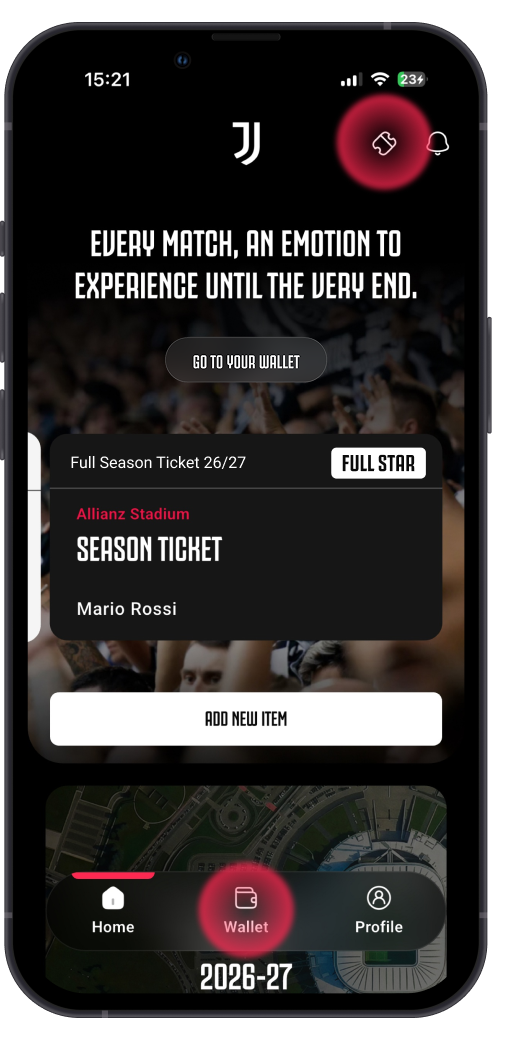
If the ticket recipient already has the app installed on their device, they simply need to tap the "Activate Ticket" option in the top right corner to view their ticket in the app.
If you have not yet downloaded the app, you must log in using the same email address to which the ticket was sent.
IMPORTANT!
If you forward a ticket to a friend, the forwarding email address must be the same one they used to register for MyJuve. Otherwise, they will not be able to view the ticket in the app.
If you sent the ticket to the wrong email address, you have two options:
- cancel the ticket transfer in the relevant section of the app and forward it again to the correct email address
- Send the ACCESS ID (which can be found in the order confirmation email) to the other person. They will then be able to load the ticket into the app through the standard procedure
ADD YOUR TICKET TO YOUR DEVICE'S WALLET
Add your ticket directly to Apple Wallet or Google Wallet from the purchase confirmation email


By clicking the "Smartpass" button in the order confirmation email, you can directly add your ticket to your device's wallet.
When purchasing multiple tickets, you can share them in one of two ways:
- by sending the Smartpass link, allowing each recipient to add their ticket directly to their device's wallet
- by adding all tickets to your device's wallet first and then sharing them using the dedicated sharing feature
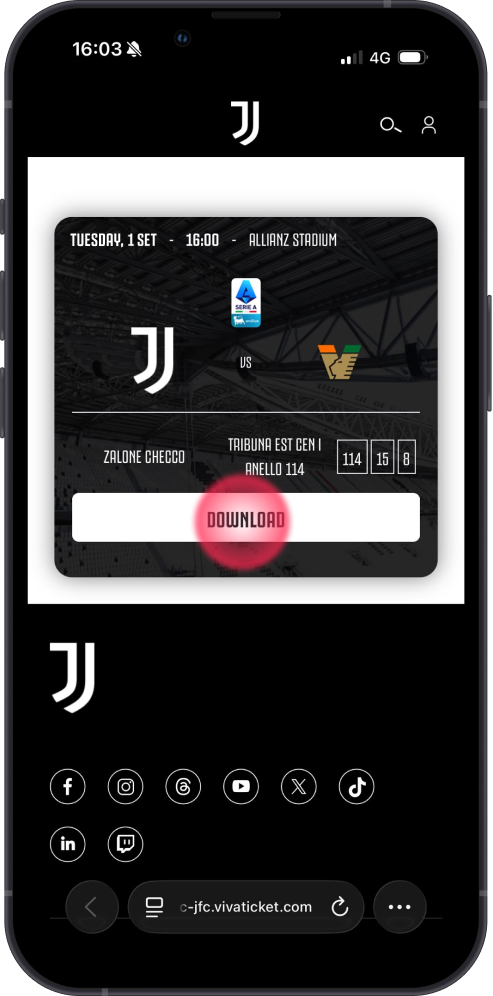
COMPLETE YOUR MATCHDAY EXPERIENCE
COMPLETE YOUR MATCHDAY EXPERIENCE

BOOK YOUR PARKING SPACE IN ADVANCE
Reserve your parking spot ahead of time to ensure convenient parking on matchday

EXPLORE THE MERCHANDISE AT THE JUVENTUS STORE
Discover the latest official collections and show your black-and-white pride

VISIT THE JUVENTUS MUSEUM
Relive the history of Juventus through trophies, memorabilia, and unforgettable moments
1of4
Discover Allianz Stadium's promotional food and beverage menus, available from 2.5 hours before kick-off
- Sandwiches
- Burgers
- Pizza
- Hot Dogs
- Fries
- Popcorn
- Snacks
- Drinks
- Coffee Bar

STILL HAVE QUESTIONS?
READ THE FAQs

Season ticket
Single ticket
Vip e hospitality
Parking
Fan with disabilities
To load your season ticket into the app, simply enter your PNR CODE and DATE OF BIRTH in the "Add Season Ticket" section
Your PNR code will be sent to you by email as soon as you complete the purchase of your season ticket, within your order confirmation email
To log in to MyJuve, simply enter the email address and password you used when registering on the official Juventus website. If you do not yet have an account, you can register in just a few simple steps
To enter the stadium, load your season ticket into the app and show the QR Code at the entrance turnstiles. The QR Code will be available 6 hours before kick-off
No, a season ticket cannot be active on more than one device at the same time.
You can load up to 4 season tickets, provided they all use the same access gate
To qualify for renewal priority, you must achieve a 70% attendance rate during the current season (50% for Under-14s). This percentage includes attendance by reserves and matches for which the ticket was successfully resold.
You can check your season ticket usage by going to "Manage Season Ticket" and selecting "Match Calendar and Usage"
Simply remove the ticket from your old device and load it onto the new one by entering your PNR code and date of birth
Seat resale is available only to holders of STAR or FULL season tickets
You can list your season ticket for resale until 11:59 PM on the day before the match. We recommend listing it as early as possible to maximize your chances of a successful resale.
To resell your seat for a match, go to "Manage Season Ticket" and select "Resell Season Ticket"
In the "Manage Season Ticket" section, select "Reserve Management" to conveniently manage all related actions
To transfer your ticket to a reserve, go to the "Change User" section and enter the email address of the person to whom you wish to transfer the ticket
You may transfer your ticket to a reserve up to 4 hours before kick-off
You can enter the stadium by showing the QR code of the ticket loaded in the app, which will be available 6 hours before kick-off, or by using the NFC version stored in your device's Wallet and tapping it contactlessly at the entrance turnstiles
Anyone holding a valid ticket may access the stadium, provided they comply with the rules and conditions set out in the Terms and Conditions and in the "Stadium Regulations" available on the official Juventus website
To load your ticket into the app, simply enter your Access ID and date of birth
You can find your Access ID in the order confirmation email you receive after completing your purchase
You can load up to 4 tickets per match in the app, in addition to any matches included in a season ticket
Once you have entered your Access ID and date of birth, simply tap "Add to Wallet"
To send a ticket, go to the "Send Ticket" section and enter the email address of the person you wish to transfer the ticket to. You can also revoke the transfer after it has been sent
Only one name change is permitted per ticket.
You can change the ticket holder's name up to 4 hours before kick-off
Anyone may receive a transferred ticket, provided they comply with the purchasing restrictions imposed by Juventus and any restrictions established by the ONMS
if you have any questions or need assistance, you can contact the dedicated email address juventuspremiumclub@juventus.com or consult the vip hospitality section on the official juventus website
The Allianz Stadium car parks open 5 hours before kick-off
Anyone holding a valid daily parking pass and/or a seasonal parking pass (Park Pass)
You can purchase a Seasonal Park Pass and/or Daily Parking through the official Juventus website
You can find the parking regulations in the document titled "General Terms and Conditions for Season Parking Passes and the Sale of Temporary Parking Spaces for Individual Matches within Juventus Parking Areas", available on the official Juventus website
You can learn about all the special arrangements and benefits available for the current season by contacting our Fan Service at (+39) 011.45.30.486.